From a picture to a pattern that fits, explained
Sewly combines an AI that understands garments with a drafting engine that draws patterns the way pattern makers do. Here is what happens at each step.
1. The AI reads your picture
From a photo, a screenshot or a link, the AI identifies the garment type and its details: length, neckline, sleeve length and shape, how full the skirt is, the closure, pockets and the fabric's colours and print. It then picks the closest garment in Sewly's library and sets its options. If something in the picture is beyond what Sewly drafts today, it says so and suggests the closest alternative.

2. The engine drafts the pattern
The pattern itself is not generated by the AI: Sewly's drafting engine draws it from flat-pattern blocks (bodice, sleeve, skirt, trousers) with your measurements, the ease the style needs and your seam allowances. The same inputs always give the same pattern, and every piece matches its neighbours at the seams and notches.
3. You fit and adjust
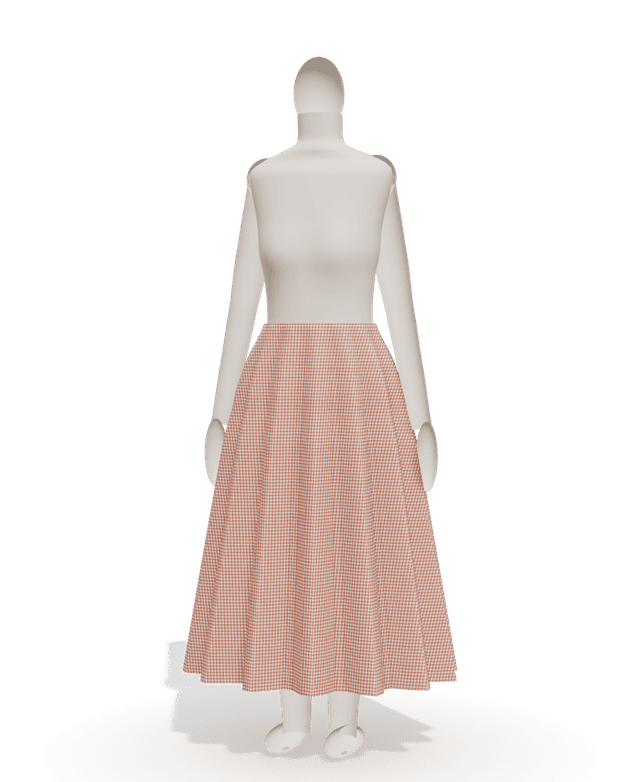
Change any option by hand (length, neckline, sleeves, fit, pockets) or ask in your own words, and the pattern redraws instantly. The 3D preview shows the silhouette on a mannequin with your proportions, in a plain colour or the print from your picture.

4. You print and sew
Pick A4, US Letter, A3, Tabloid, an A0 or 36 × 48 in copy-shop sheet or a projector file. The PDF has a cover with a test square and a page map, the tiled pages, the cutting layouts and the step-by-step guide. Questions while you sew? Ask the guide.
What the AI does
Recognises the garment and its details in your picture, sets the pattern's options, answers your questions and turns your requests (“make it midi”, “add pockets”) into changes.
What the drafting engine does
Draws every piece with your measurements and the right ease, matches seams and notches, adds seam allowances, lays the pieces out on paper and on fabric, and writes the steps of the guide.
What will you sew next?
Bring the picture. Sewly brings the pattern.
Your pictures stay private and are only used to make your pattern.